


Play971 App: Mobile Access in the UAE

Mobile access is an important part of the Play971 experience in the UAE. The platform’s current terms explicitly refer to both its website and a mobile application, meaning users are not limited to a desktop computer when accessing their account, sportsbook, or internet gaming services. The same Terms also make clear that game-specific rules continue to apply regardless of the device used.
There is one detail worth clarifying from the outset. Public official material available at the time of review confirms mobile application access, but it does not provide enough verifiable information to state that a specific Android APK, App Store application, or Progressive Web App is currently distributed through a particular channel. That distinction matters. A mobile-friendly page, an installed shortcut, and a native application can look almost identical on a home screen while using very different installation and security models.
Play971 is operated by Coin Technology Projects LLC, which is listed by the General Commercial Gaming Regulatory Authority as both an Internet Gaming Licensee and a Sports Wagering Licensee. The platform is restricted to users aged 21 or above and requires geolocation so that access can be checked against permitted locations.
Users should independently confirm that online casino or sports wagering is permitted in the jurisdiction from which they are accessing the service before registering, depositing, or playing.
Official Mobile Access Options
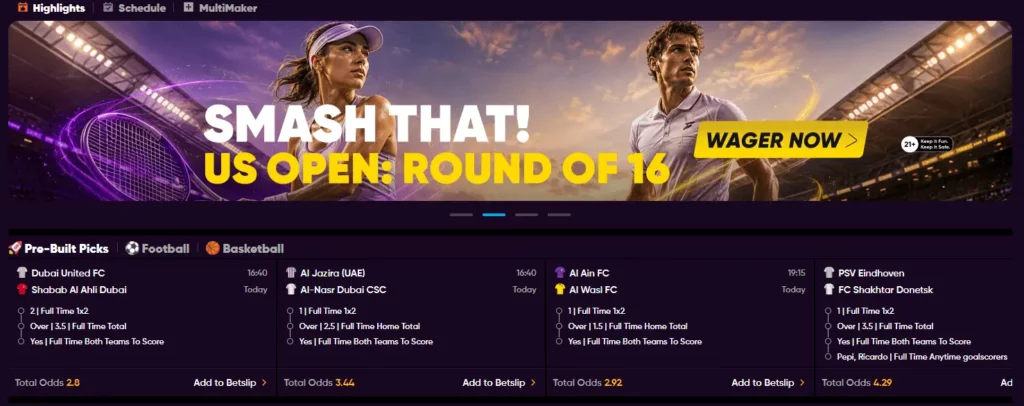
The most clearly verifiable mobile option is browser access. The Play971 interface is accessible from modern smartphones, while the operator’s terms additionally recognize a mobile application as part of the service. What the current public documentation does not establish clearly is whether every user is offered the same installation method or whether availability differs between device types.
This means mobile users should avoid assuming that a file found through a search engine, forum, messaging group, or third-party download page is official. Even if the name and branding look correct, the source still needs to be verified.
The safest approach is straightforward:
- begin from Play971’s own verified interface;
- use only mobile or installation options presented there;
- check the requested permissions before installing software;
- keep the operating system and browser updated;
- avoid unofficial APK libraries, mirror pages, and shortened download links;
- Use the same verified account rather than creating a second profile for mobile access.
Play971’s official registration flow also shows that the account is tied to personal details and an email address used as the login credential. Mobile access therefore does not require a separate identity simply because the device has changed.
If you intend to use Play971 mainly from a phone, first confirm which mobile option is currently displayed for your device.
How to Download the App Safely
There is no reason to improvise an installation route. Since the verified public material does not currently provide a universal Android or iOS download procedure, the sensible method is to follow only the installation option shown through the operator’s own environment.

A safe sequence is
- Open Play971 through a source you have independently verified.
- Sign in or review the public mobile interface before downloading anything.
- Look for an app or installation option presented directly by the operator.
- Confirm which platform or device type the option is intended for.
- Review the publisher, file source, and requested permissions.
- Complete the installation only if the origin remains clear.
- Sign in using your existing account credentials and confirm that your balance and profile information are correct.
Do not permanently disable Android security protections simply because an unknown file refuses to install. Likewise, iPhone and iPad users should not install configuration profiles or certificates from third-party instructions merely because they promise access to Play971.
If no verified installation option appears, mobile browser access is the more conservative choice.
Android, iOS and PWA Access

Android, iOS and PWA should not be treated as interchangeable terms.
An Android native application is software installed specifically for the Android operating system. An iOS application is distributed for Apple devices. A PWA, or Progressive Web App, is fundamentally web-based: it can behave more like an installed application and may offer a home-screen shortcut, but technically it remains different from a native app.
The source material supplied for this article describes PWA and Android installation routes. However, those specific routes could not be independently confirmed in the current public Play971 documentation reviewed for this article. The operator’s terms confirm a mobile application in general, but not the exact distribution method for each operating system.
That is why users should not search for “alternative” installation packages when a particular option is not visible. Software distribution can change over time. An old installation guide may remain online long after the underlying method has been altered or withdrawn.
For Android, iPhone, or iPad, check the current mobile interface first and follow only the option actually presented there.
Using Sportsbook and Casino on Mobile
The mobile experience also includes more than just account management. Play971 publicly confirms both sports wagering and internet gaming, including online casino and live casino products. The operator’s sports pages also visibly separate sports and casino navigation.
From a mobile device, the practical workflow remains familiar. A sportsbook user can move through the available sporting events, open markets, and manage selections through the betting interface. Casino users can access the gaming catalogue available to their account and open supported titles from the same broader ecosystem.
Always check individual content in the active interface. A particular fixture, market, live table, or casino title may not remain available permanently, and the rules of each game or wager can differ. The current Terms explicitly require users to understand the applicable Game Rules before participating.
Mobile use also changes the practical experience. Smaller screens make it especially important to review a betting slip before confirmation, while live casino streaming depends more heavily on connection quality. Landscape orientation may be more comfortable for some tables, whereas standard account functions can work well in portrait mode.
Before placing a wager from mobile, review the amount, selected market or game rules, and any account limits displayed on screen.
Geolocation and Device Permissions
Geolocation is not optional background decoration on Play971. The platform currently displays a notice stating that customers must have geolocation enabled so it can determine whether they are accessing the service from a permitted location. The same requirement appears on registration, casino, and sportsbook pages.
This means location permissions can directly affect whether mobile gaming functions are available. A browser may ask for permission to use the device’s location, and blocking that request can prevent the location check from completing.
Users should also understand the difference between necessary and excessive permissions. Location access can be relevant because it is explicitly required by the platform. An unrelated request for full contact access, remote device administration, or other unusually broad privileges would deserve additional scrutiny before acceptance.
If location verification is failing, check the following:
- that device location services are enabled;
- that the browser or verified application has location permission;
- that precise location is available when the service requires it;
- that the operating system and browser are current;
- that no network configuration is interfering with location verification.
Do not try to bypass a location restriction through a duplicate account or an unverified application. The GCGRA states that commercial gaming in the UAE must take place through properly licensed operators, and Play971 itself restricts access from prohibited jurisdictions.
If the location check continues to fail, use the platform’s official support channels rather than attempting technical workarounds.
Updates and Troubleshooting
Mobile problems are often less dramatic than they first appear. An outdated browser, cached data, or an unstable connection may prevent a page from loading. A location error may simply reflect disabled permissions. A login problem may involve incorrect credentials rather than an issue with the entire account.
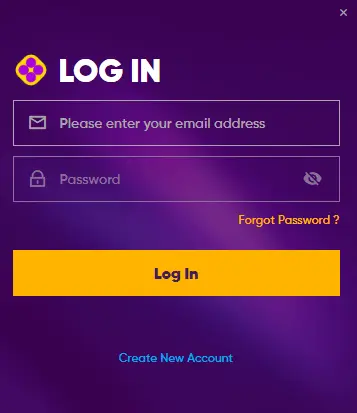
Play971 uses an email address as the login credential during the current registration process. If access fails, check the email carefully before repeatedly attempting different passwords.
For general troubleshooting, start with the least intrusive actions: update the operating system and browser, close unnecessary tabs, confirm location permissions, and restart the session. Clearing browser cache may also help with persistent display or session issues.
Avoid more aggressive “solutions” such as turning off device security, installing another APK from a forum, or granting remote access to someone claiming to provide technical help. Play971’s terms contain specific sections dealing with viruses, phishing, and scammers, which reinforces the importance of treating unusual download requests cautiously.
Mobile access should remain convenient, but convenience should not override security. Use a protected device, keep account credentials private, and install software only when its origin can be verified.
Finally, mobile availability makes gaming easier to access throughout the day, which makes personal limits even more important. Play971 provides responsible gaming and player control resources, while GCGRA regulation places responsibility and player protection within the wider licensed gaming framework.
Set a defined entertainment budget, limit session duration, and stop if gaming begins to interfere with finances or daily responsibilities. Mobile access changes where you can play. It does not change the financial risk involved.